
O3DE UI Styled Dock Widget
Use styled dock widgets in conjunction with DockMainWindow and FancyDocking components to create the custom docking solution in O3DE called “fancy docking”, which provides users with a variety of options for arranging their window layout.
Fancy docking provides four docking drop zones around the edge of a target, and one in the center that’s used to dock a window as a tabbed pane. Dragging a window or toolbar over an interface element or the edges of the window causes docking targets to appear to show you where you can dock. You can dock windows relative to any open pane, whether it is already docked, floating as a tab, or split in a column or row. To learn more fancy docking features and controls, see Customizing O3DE Editor.
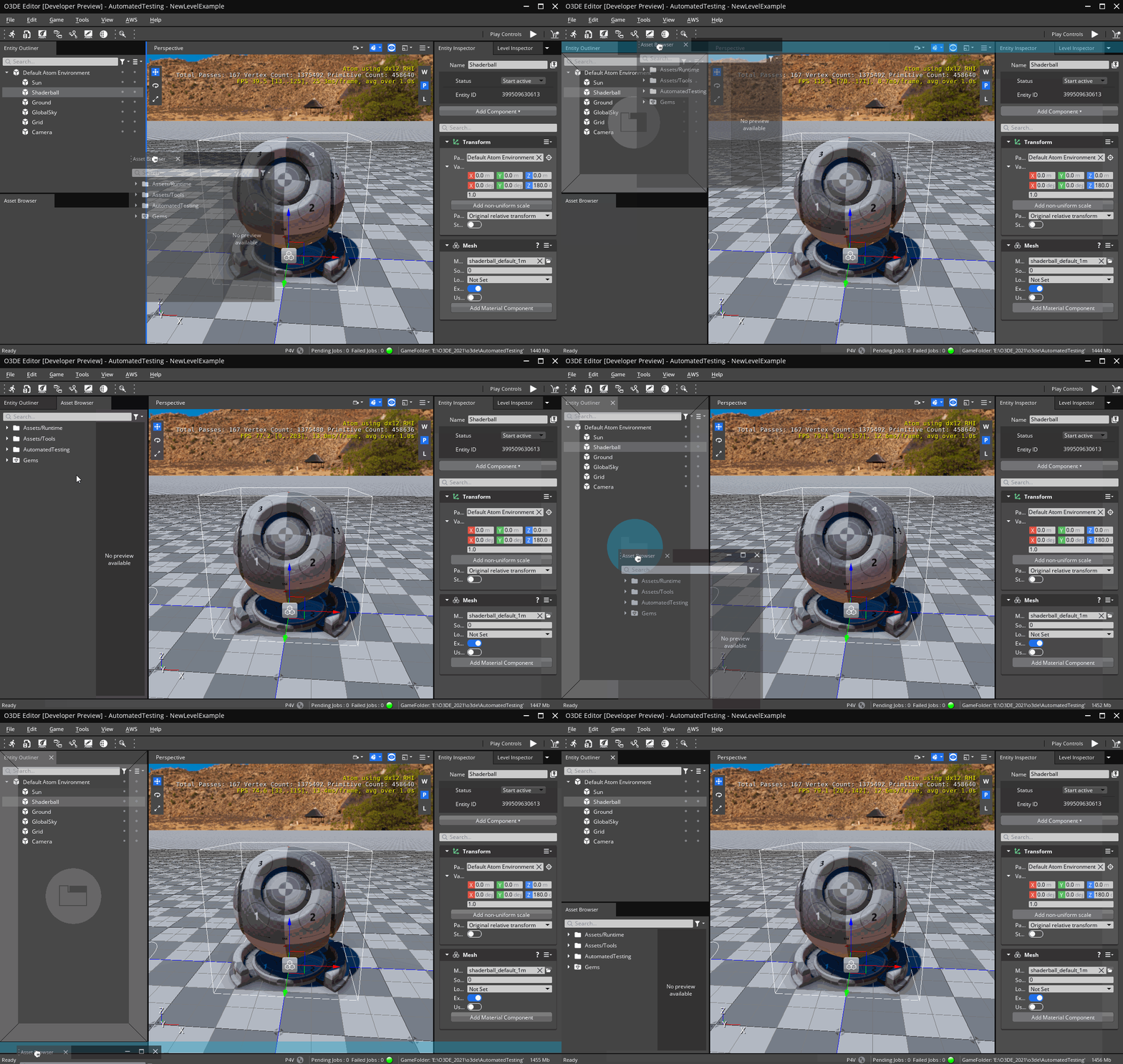
Fancy docking using the styled dock widget
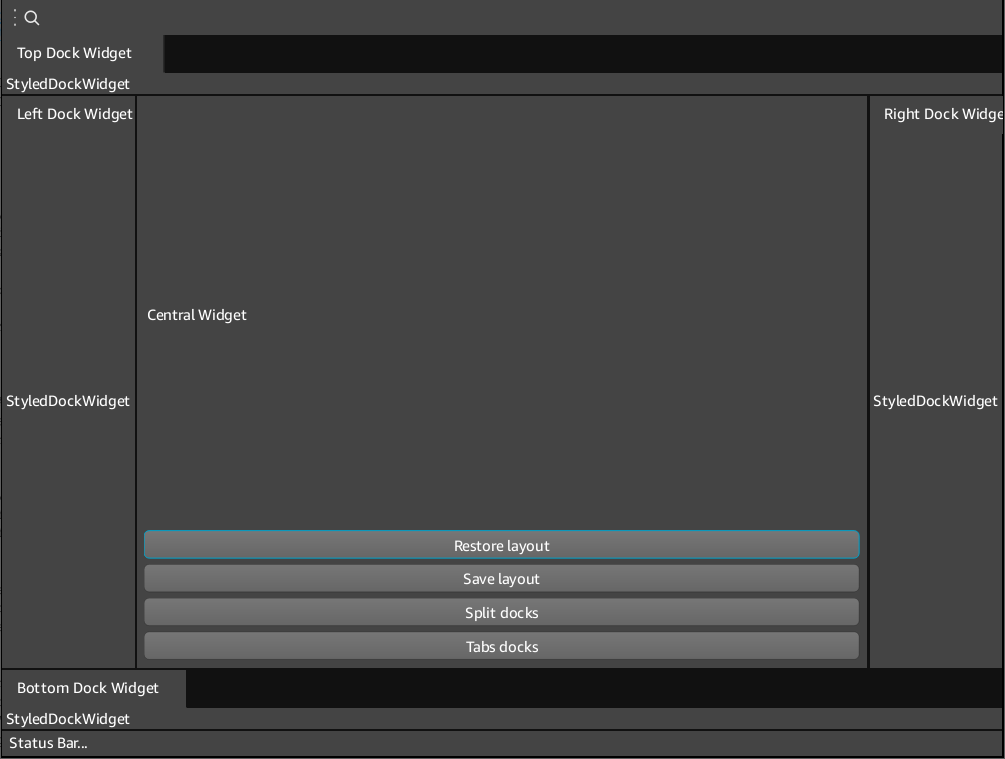
Fancy docking can use up to five styled dock widgets added to a DockMainWindow. Setup involves the following implementation steps:
Construct a main window using
AzQtComponents::DockMainWindow.Construct a
AzQtComponents::FancyDockingcomponent using the main window.Construct a
AzQtComponents::StyledDockWidgetfor each edge and add it to the main window.Construct a
AzQtComponents::StyledDockWidgetfor the center and add it to the main window.
The following code shows a simplistic example of the styled dock widget.
Example
#include <AzQtComponents/Components/DockMainWindow.h>
#include <AzQtComponents/Components/FancyDocking.h>
#include <AzQtComponents/Components/StyledDockWidget.h>

// Construct a main window and apply fancy docking.
auto mainWindow = new AzQtComponents::DockMainWindow(this);
auto fancyDocking = new AzQtComponents::FancyDocking(mainWindow);

// Add one AzQtComponents::StyledDockWidget per edge.
auto leftDockWidget = new AzQtComponents::StyledDockWidget("Left Dock Widget", mainWindow);
leftDockWidget->setObjectName(leftDockWidget->windowTitle());
leftDockWidget->setWidget(new QLabel("StyledDockWidget"));
mainWindow->addDockWidget(Qt::LeftDockWidgetArea, leftDockWidget);

auto topDockWidget = new AzQtComponents::StyledDockWidget("Top Dock Widget", mainWindow);
topDockWidget->setObjectName(topDockWidget->windowTitle());
topDockWidget->setWidget(new QLabel("StyledDockWidget"));
mainWindow->addDockWidget(Qt::TopDockWidgetArea, topDockWidget);

auto rightDockWidget = new AzQtComponents::StyledDockWidget("Right Dock Widget", mainWindow);
rightDockWidget->setObjectName(rightDockWidget->windowTitle());
rightDockWidget->setWidget(new QLabel("StyledDockWidget"));
mainWindow->addDockWidget(Qt::RightDockWidgetArea, rightDockWidget);

auto bottomDockWidget = new AzQtComponents::StyledDockWidget("Bottom Dock Widget", mainWindow);
bottomDockWidget->setObjectName(bottomDockWidget->windowTitle());
bottomDockWidget->setWidget(new QLabel("StyledDockWidget"));
mainWindow->addDockWidget(Qt::BottomDockWidgetArea, bottomDockWidget);

QWidget* centralWidget = new QWidget;
QVBoxLayout* vl = new QVBoxLayout(centralWidget);
vl->addWidget(new QLabel("Central Widget"));
mainWindow->setCentralWidget(centralWidget);
C++ API reference
For details on the styled dock API and other components related to fancy docking, see the following topics in the O3DE UI Extensions C++ API Reference:
Relevant Qt documentation includes the following topics: