
O3DE Qt Control Gallery Tool
Use the O3DE Qt Control Gallery tool to see the O3DE UI custom Qt widget library in action. Interact with the controls, and peruse sample code and working examples of selected components.
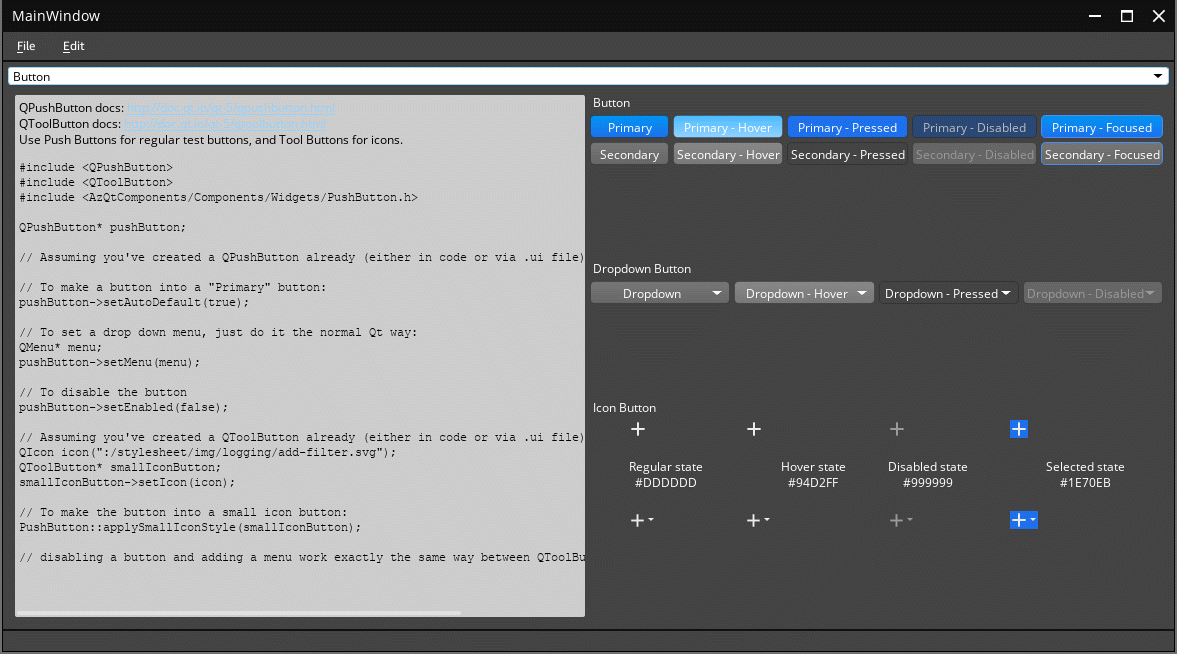
How to use the O3DE Qt control gallery
Before you begin, make sure that you have built or installed O3DE on your computer.
Open your computer’s file explorer to the O3DE binaries directory. If you installed the O3DE engine, the path on your computer will be similar to
<engine>/bin/Windows/profile/Default. If you build O3DE from source, the tool will build to your engine build directory.Locate and then launch
O3DEQtControlGallery.exe.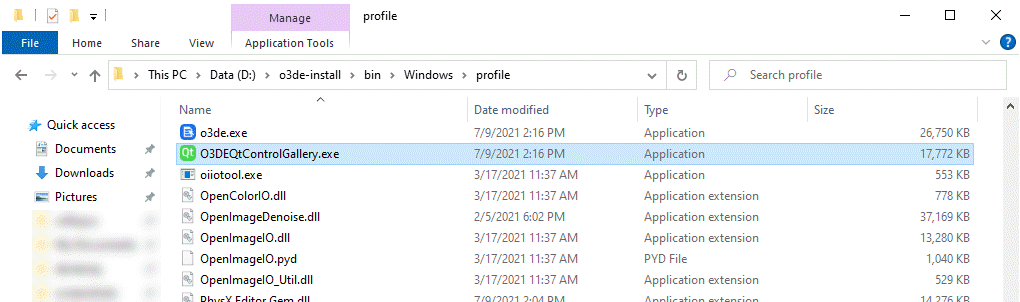
Use the dropdown menu in the upper left of the tool to navigate through the available components. For each component, the right side of the tool provides an interactive example of how the widget looks and works. The left side contains sample code related to the component.
Note:The gallery does not cover how to set up a window for your tool, or the basics of how the Qt library works. Its primary objective is to illustrate the styles and features of the components in the library.