
UI Canvas on Mesh Component
With the UI Canvas on Mesh component, you can place a UI canvas on a component entity in the 3D world that a user can interact with using a cursor.
Usage
You can use the Render target override property when you want to load two unique instances of the same UI canvas that the user can set to different states. Assigning this property to an .attimage Attachment Image asset overrides a UI canvas’
Render Target property value. You must use the same Attachment Image asset selected in Render target override as the diffuse texture of the mesh or actor’s material.
For more information about how to use the UI Canvas Asset Ref component, see Placing UI Canvases in the 3D World.
UI Canvas on Mesh Component Properties
The UI Canvas on Mesh component has the following properties:
Render target override For simple cases, you can leave this property blank. The UI canvas specifies a render target, and that render target can be used as a texture for the material on the 3D mesh. You can use the Render target override property when you want to load two unique instances of the same UI canvas that the user can set to different states. Assigning this property to an attachment image asset overrides the Render to Texture value of the loaded instance of the UI Canvas.
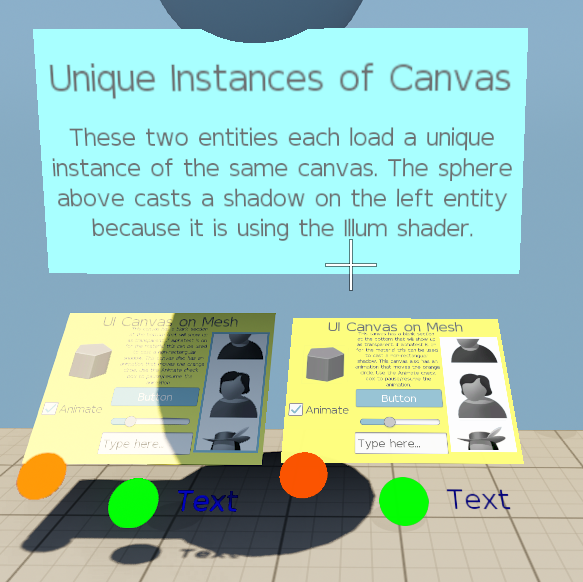
For more information about how to use the UI Canvas on Mesh component, refer to Placing UI Canvases in the 3D World.
Provider
Dependencies
Select one of the following required components to display a UI canvas on:
Select one of the following required components to provide a reference to a UI canvas:
UI Canvas on Mesh properties

| Property | Description | Values | Default |
|---|---|---|---|
| Render target override | Selects an .attimage
Attachment Image asset that will override a UI Canvas’ Render Target property. | Attachment Image asset | None |