Maps
Maps in Script Canvas are containers of key-value pairs. In Variable Manager, maps are represented with a split-color rectangular icon.
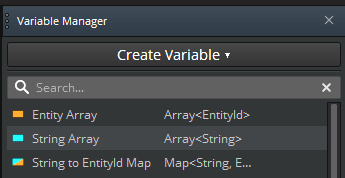
To create a map variable
In the Variable Manager, do one of the following:
- Choose Create Variable, and then choose Map.
or
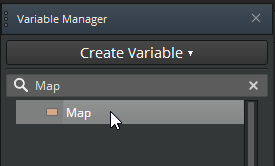
- In the Variable Type search box, type Map, and then choose Map.
Enter information to create your map, and then click Create.
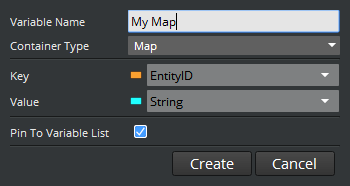
- For Variable Name, enter the name for your map variable.
- For Container Type, use Map.
- For Key, choose a data type for the key.
- For Value, choose a data type for the value.
- (Optional) To pin the map to the list of variables in the Variable Manager, select Pin To Variable List. Then, when you choose Create Variable, the map appears in the list as Map<
key_data_type,value_data_type>. This is useful when you reuse the same key pair combination frequently.
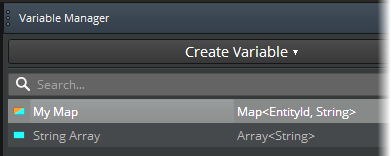
Map pin icons
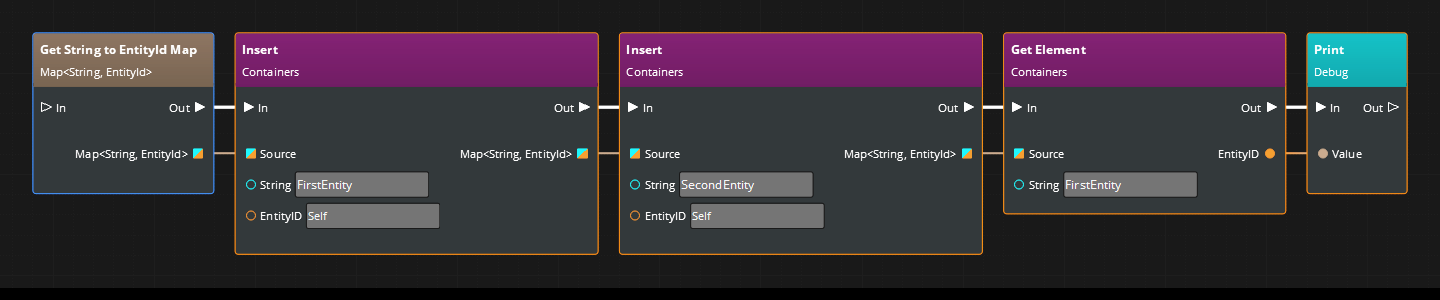
You can use Get or Set nodes to get values from a map or make changes to the map. The data pins for the maps have square icons with two colors. One color represents the data type for the key, the other for the value.
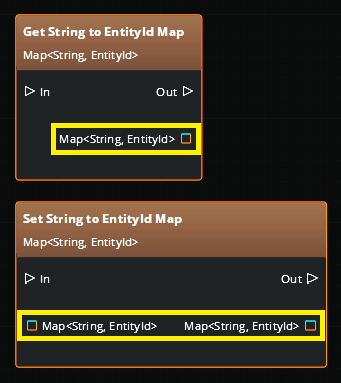
Map operation nodes, data pin typing, and chaining
Maps use the same container operation nodes as arrays. As with arrays, data pins automatically take on the data types of the map to which they are connected, as the following image shows.
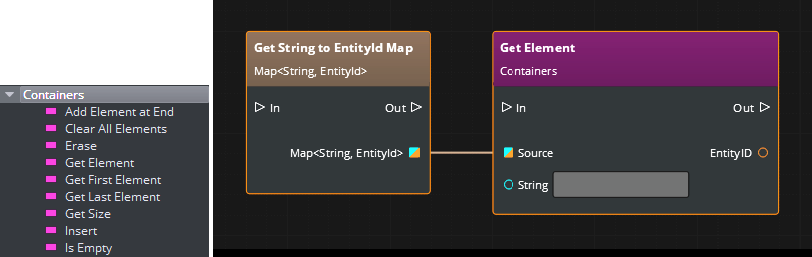
As with arrays, maps provide a data output pin that you can use to chain operations on the same map.