
Animation Editor User Interface
Topics
Opening Animation Editor
You can open the Animation Editor from O3DE Editor.
To open the Animation Editor
- From O3DE Editor, choose Tools, Animation Editor.
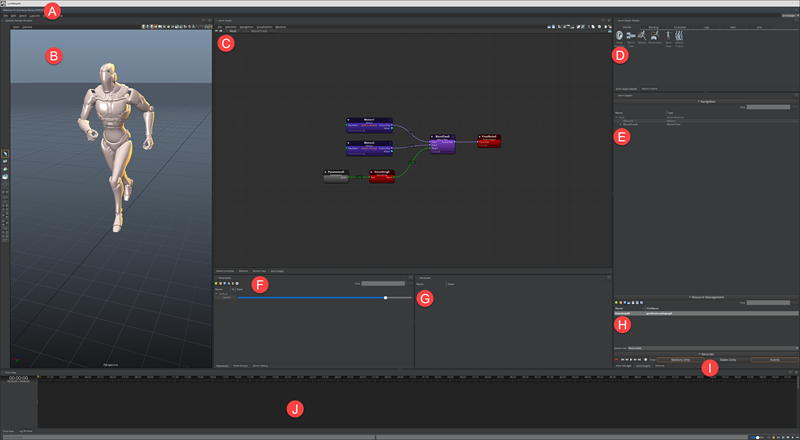
On the Animation Editor, you can do the following:
From the menu bar, you can do the following:
- Open actor files.
- Open, create, and save your workspaces.
- Select and deselect actor instances.
- Change the layout view of the editor.
- Display or hide menus for the Animation Editor.
View your character in the perspective window.
Anim Graph - View and edit your animation graph to define your character’s behavior.
Anim Graph Palette - Drag and drop nodes into the animation graph grid.
Anim Graphs Navigation - View the hierarchy of your nodes.
Parameters - View, add, edit, or delete parameters for the animation graph.
Attributes - View, add, edit, or delete attributes for the selected node in the animation graph.
Resource Management - Add, load, save, and delete animation graphs.
Recorder - View what triggers the recording and manage the playback options.
Time View - View recorded debug information and edit event tracks of the selected motion.