
Kythera AI Gem

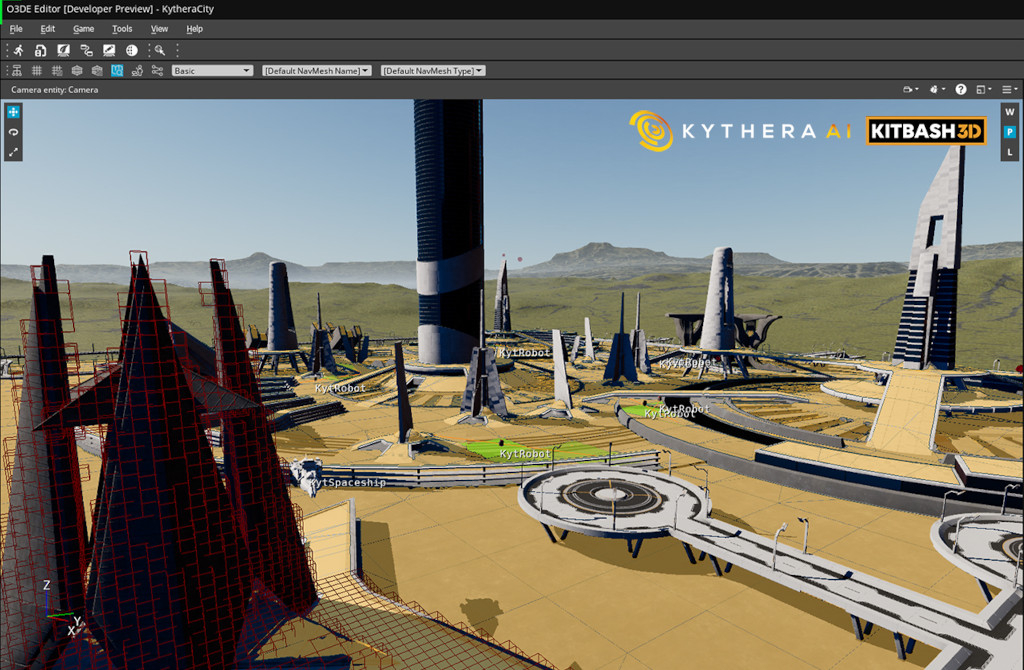
The Kythera AI Gem adds a broad toolset of AI features to Open 3D Engine (O3DE). It includes a demo project with levels and assets that demonstrate the features of Kythera AI. The following topics cover the tools provided with the Kythera AI Gem.
The Gem is available from our website at https://www.kythera.ai/kythera-for-o3de .
- Kythera AI Gem Setup - How to install the Kythera AI Gem and get started
2D navigation
- Navmesh generation - How to create navigation mesh (navmesh) for ground-based navigation
- Character movement APIs - The APIs used to move characters on Kythera AI navmesh
3D navigation
- Octree generation - How to create an octree for 3D navigation
- 3D Navigation splines - Highly configurable splines for describing 3D movement of AI agents
Debugging and behavior authoring with the Kythera AI Inspector
The Inspector is Kythera AI’s browser-based debugger and behavior tree editor.
License
The Kythera Al Gem is available under the terms of our Community License . It is free for non-commercial use or for a 60-day trial period, while also allowing commercial use based on a royalty. For other licensing options, please contact us via our website .
Setup
Instructions for setting up the Kythera AI Gem
Navmesh Generation
Generating a navigation mesh with the Kythera AI Gem in Open 3D Engine (O3DE)
Octree Generation
Generating an octree for 3D navigation with the Kythera AI Gem in Open 3D Engine (O3DE)
Character Movement APIs
Details of APIs for character movement with the Kythera AI Gem in Open 3D Engine (O3DE).
Navigation Splines
Guide to the 3D navigation splines tool in the Kythera AI Gem in Open 3D Engine (O3DE)
The Inspector
Overview of the browser-based debugger and behavior tree authoring tool, the Kythera AI Inspector
BT Editor
Overview of the Kythera AI Inspector’s Behavior Tree editor tool
BT Editor Nodes
Reference for all nodes available in the Kythera AI Behavior Tree editor